All proxies online
Proxies without
the puzzle.
Connect a real IP, launch any browser, and see exactly what's active — one plain desktop app, no dashboards to learn.
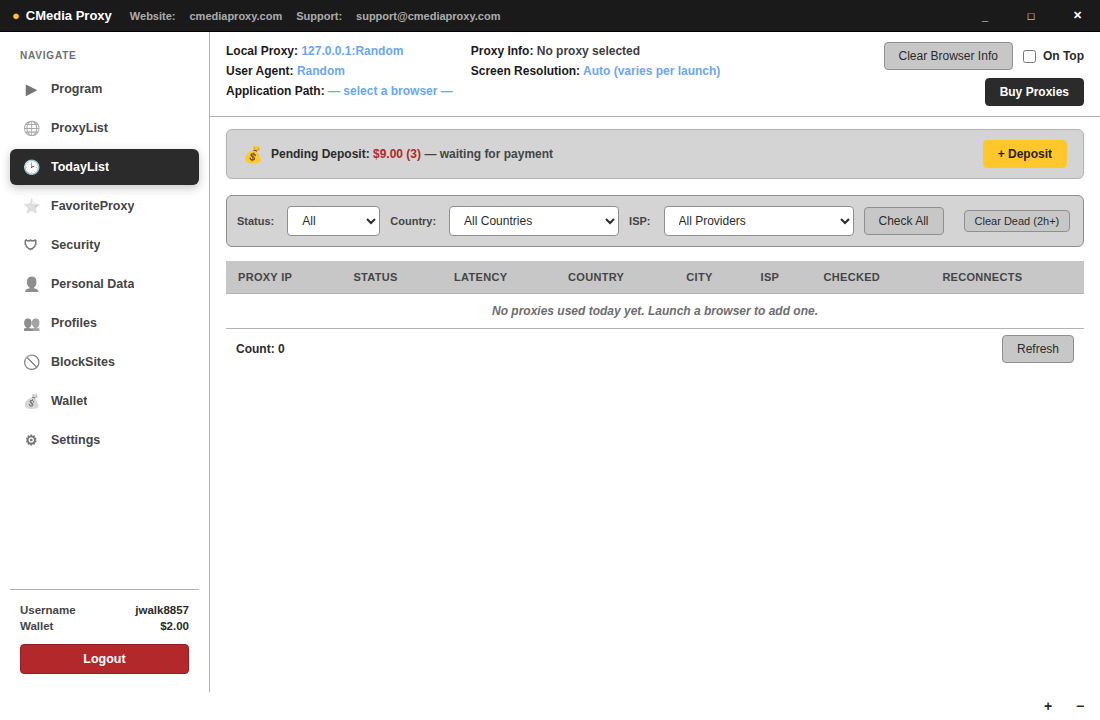
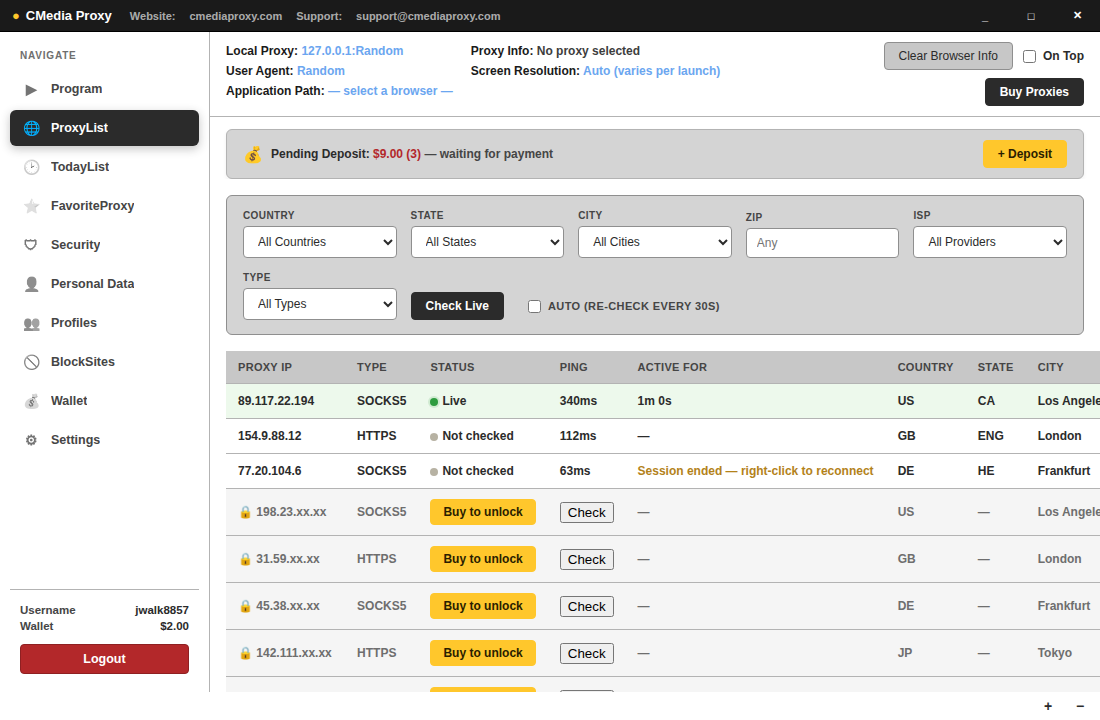
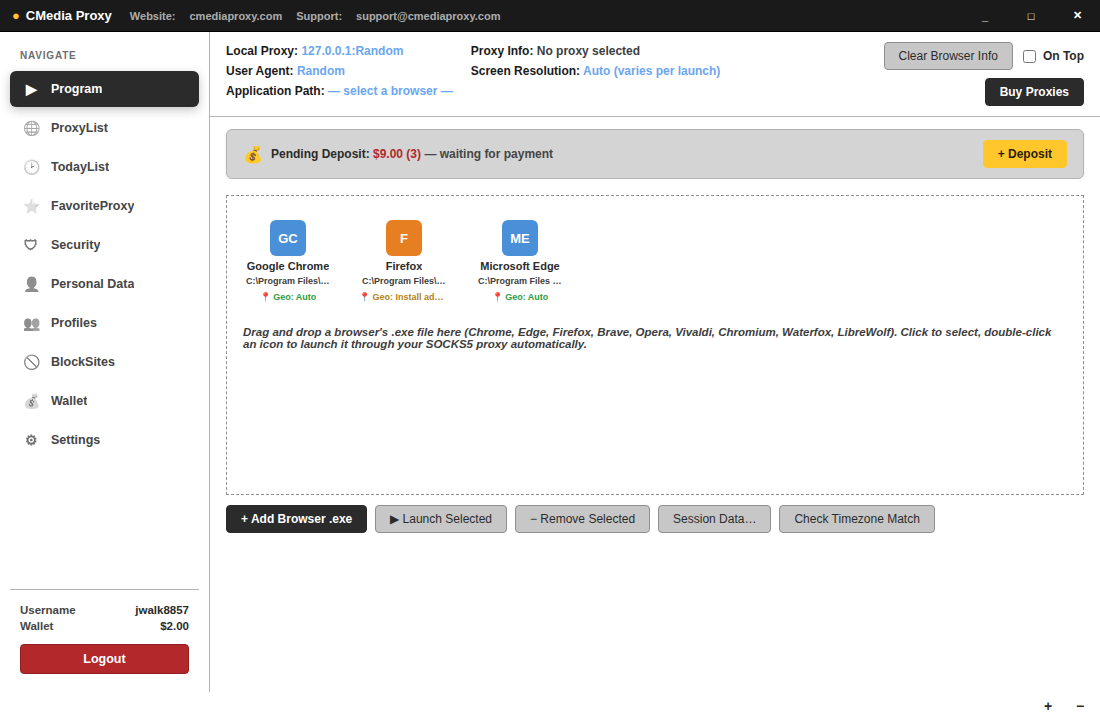
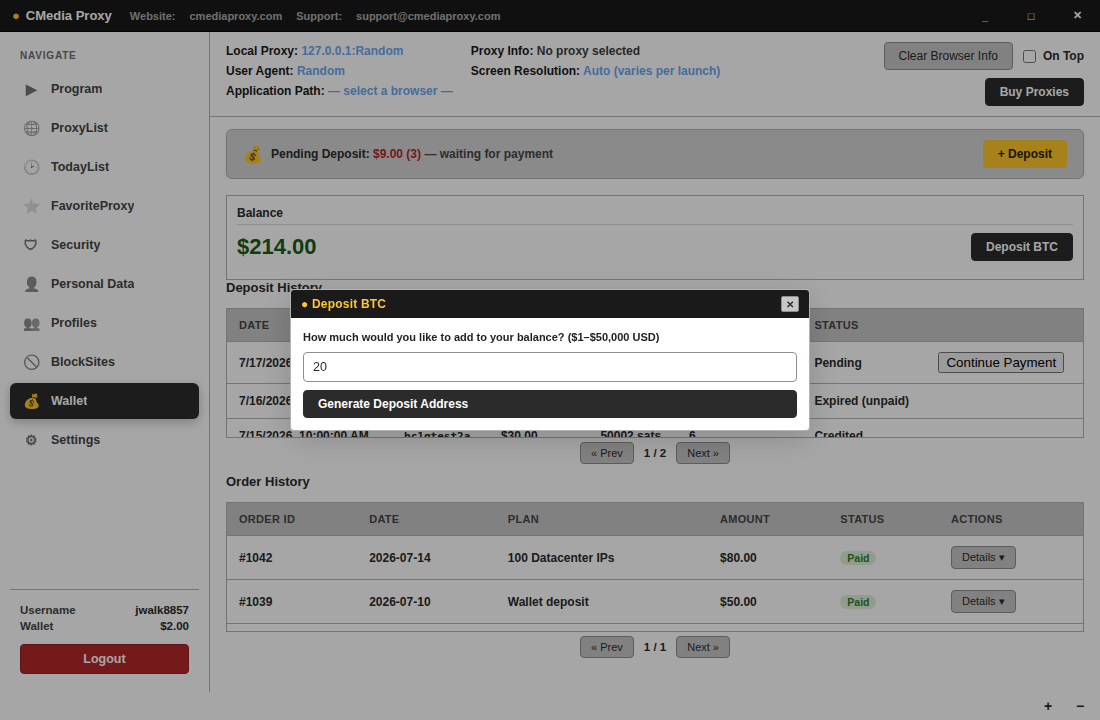
Connect a real IP, launch any browser, and see exactly what's active — one plain desktop app, no dashboards to learn.
No separate proxy manager, browser extension, and spreadsheet of IPs. Connect, launch, and manage sessions from tabs that map to exactly what you're doing.
Filter by country, state, city, or zip -- every option shows real, live availability, so you always know what's actually in stock before you buy.
See every proxy assigned to you, its live status, and connect with one click — dead IPs are marked before you waste a launch on them.
Open Chrome, Firefox, or your own launcher pre-configured with the proxy you connected — no manual proxy settings, ever.
Keep specific domains unreachable across every launch, every reload, every redirect — enforced at the connection, not just at startup.
If a tunnel drops, the connection dies with it. No silent fallback to your real IP.
Run several proxies on separate ports at once, each isolated, each visible in the same list.
Choose "Phone or Tablet" when connecting instead of "This Computer" — any device on the same WiFi can use that same proxy, with setup steps for iOS and Android shown right after you connect.
One browser, one proxy, its own cookies and login sessions, bundled together and named. Reopen it next week and it's the same identity — not a fresh one.
If an IP is genuinely dead on arrival, we verify it and credit your wallet automatically — no support ticket, no waiting on a reply.
Log out and every active connection is torn down immediately — nothing keeps running in the background.
A Profile is one browser + one specific IP + its own cookies and login sessions, bundled together and named. Close it, come back next week, launch the same Profile — same identity, same sessions, not a fresh start.
Add BTC to your wallet — any amount. A real address and QR code appear instantly; your balance updates the moment it confirms.
Browse real, live inventory in ProxyList. Click one to unlock it — that specific IP, charged at the current rate, nothing bundled in.
Drag a browser's .exe into the Program tab, or click one already added. It launches already pointed at your connected proxy — nothing else to configure.
Today's List tracks it live — status, latency, reconnects. Disconnect or log out when you're done, and the connection closes with you.
A Data Plan is a rotating residential gateway billed by the gigabyte, not the IP. Buy the size you need, and watch exactly how much you've used and how much is left.
Available and used, split clearly and updating continuously — never wonder how much is left mid-session.
Running low? Top up the same plan directly — same credentials, no need to buy a fresh one and reconfigure anything.
A fresh residential IP on every request, sourced from real consumer devices — not datacenter infrastructure that's easy to flag and block.
No monthly plans, no fixed bundles, no bulk-pricing tiers. Deposit any amount of BTC into your account, then buy exactly as many proxies as you want, whenever you want.
Deposit what you need and buy any amount, from 1 to however many. Create an account, wait for approval, then log in from the app to deposit and start buying.
Same wallet, same account — just billed differently. One flat rate, same as everything else here.
Packages start at 1GB. Buy more, top up an existing plan, or let it run out — nothing auto-renews.
| Country | City | ISP | Status | |
|---|---|---|---|---|
| US | Ashburn | Cogent | Connected | ACTIVE |
| DE | Frankfurt | Hetzner | Alive | CONNECT |
| GB | London | OVH | Alive | CONNECT |
Download the app, deposit BTC, and you're browsing through a live IP in minutes.
Get Started →